
CPUs for Intel Socket FCLGA1151
From the reliable Xeon E3-1220 v5 to the high-performance Core i9-9900K, GEKKO offers tested used FCLGA1151 processors for workstations, small servers, and business desktops. Every CPU is functionally tested before shipping and is ready for immediate use, without long delivery times or the usual uncertainty associated with buying used hardware.
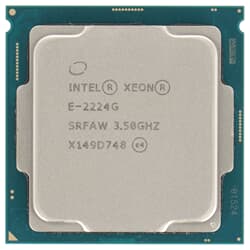
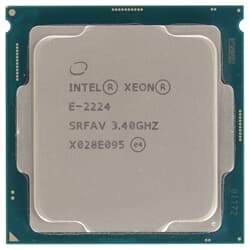
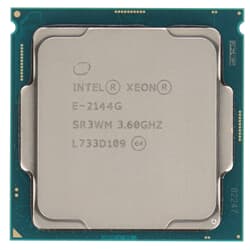
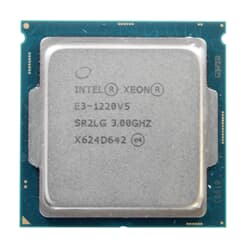
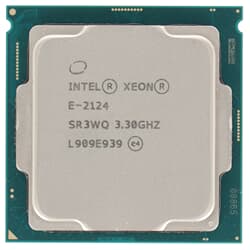
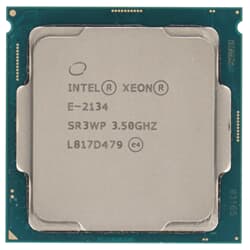
What Is FCLGA1151 and Which Processors Use This Socket?
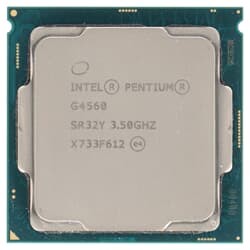
FCLGA1151 refers to the physical processor socket design Intel used across multiple generations of consumer CPUs and entry-level server processors. The term stands for Flip Chip Land Grid Array with 1151 contact pads, which connect the processor to the motherboard. Unlike older PGA sockets, the pins are located inside the socket itself, while the underside of the CPU only features flat contact surfaces. Intel used this Socket 1151 platform for Skylake, Kaby Lake, Coffee Lake, and Coffee Lake Refresh processors, ranging from efficient Pentium models to eight-core Core i9 CPUs and corresponding Xeon variants for professional use. As a result, this single socket platform covers everything from classic office systems to powerful workstations for demanding applications.
Two Technical Generations Within One Socket Design
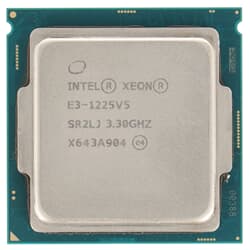
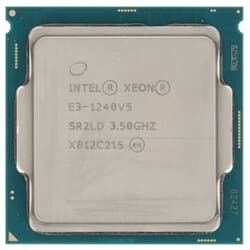
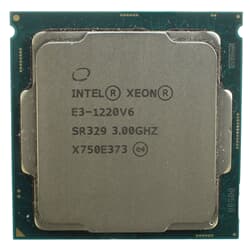
If you are buying used hardware, it is important to know that FCLGA1151 actually includes two technically different platform generations. The first generation covers Skylake and Kaby Lake models such as the Xeon E3-1200 v5 and v6 series, while the second generation includes Coffee Lake-based Core i7 and Core i9 processors as well as the Xeon E-2100 and E-2200 series. Although both generations fit mechanically into the same socket, they are not mutually compatible because they require different chipsets. A Coffee Lake processor needs a motherboard with a 300-series chipset such as B360, Q370, or C246, whereas older Skylake and Kaby Lake CPUs run on 100-series or 200-series chipsets. Before buying any FCLGA1151 CPU, you should always check the exact chipset of your existing or planned motherboard to make sure the processor and platform actually work together.
Core i7 and Core i9 CPUs for Demanding Workstation Performance
If you need strong single-core performance for CAD applications, software development, or image editing, an Intel Socket 1151 processor such as the Core i7-9700K is a very strong option. With eight cores and high clock speeds, it is ideally suited for compact workstations in small and medium-sized businesses. Even more performance headroom is available with a Socket 1151 CPU such as the Core i9-9900K, which also supports Hyper-Threading and is therefore particularly effective in demanding multitasking scenarios. Both processors can be integrated easily into existing workstations or used as the basis for a newly configured, cost-efficient professional system.
Xeon E3 and Xeon E Series: FCLGA1151 for Professional Server Use
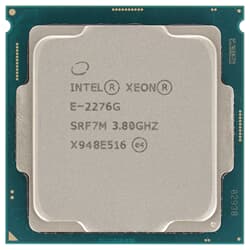
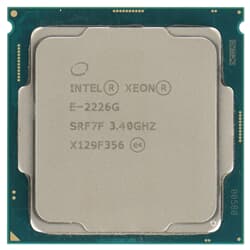
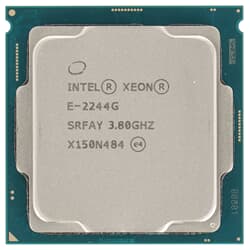
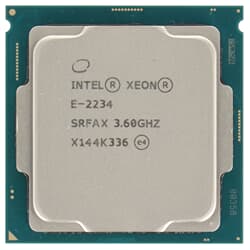
In addition to Core processors, the FCLGA1151 family also includes entry-level Xeon CPUs. The Xeon E3-1200 v5 and v6 range as well as the newer Xeon E-2100 and E-2200 series are designed for small servers and business environments where stability matters more than maximum clock speed. Unlike Core processors, these Xeon models support ECC memory when paired with a compatible C-series chipset, enabling automatic detection and correction of memory errors. Unlike large Xeon Scalable platforms, these CPUs are intentionally designed for single-socket systems and are therefore aimed at compact servers rather than heavily populated rack platforms. This makes them a solid and cost-effective foundation for file servers, mail servers, and virtualized test environments, especially when an existing server needs an upgrade or a replacement part is required at short notice.
Find the Right Motherboard and Memory for FCLGA1151 Processors
To get the full performance from an FCLGA1151 CPU, the surrounding hardware also needs to be a good match. In addition to the correct chipset, all processors in this Socket 1151 family require DDR4 memory, with the maximum supported memory speed ranging from 2133 to 2666 MT/s depending on the CPU generation. You will also find a suitable motherboard as well as matching memory in our range, allowing you to configure a complete system from one source. When assembling your system, you should also make sure that the CPU cooler is officially approved for the socket by the manufacturer, because not every cooler is compatible with every socket type. This helps you avoid unnecessary modifications later and allows you to put the system into operation immediately after installation.
FAQs
What does FCLGA1151 mean?
FCLGA1151 stands for Flip Chip Land Grid Array with 1151 contact pads and describes the physical socket design. These contacts connect the processor to the motherboard. Intel used this socket form for multiple CPU generations, from Skylake to Coffee Lake Refresh.
Will every FCLGA1151 processor work with every Socket 1151 motherboard?
No. While all FCLGA1151 processors fit mechanically into the same socket, there are two technically different platform generations behind them. Skylake and Kaby Lake CPUs require a 100-series or 200-series chipset, while Coffee Lake and Coffee Lake Refresh processors need a 300-series chipset such as B360, Q370, or C246. You should always verify the exact chipset of your motherboard before buying.
What is the difference between a Core i7 and a Core i9 processor for Intel Socket 1151?
Both processor classes offer eight cores and are well suited for demanding workstation workloads such as CAD, software development, and image editing. Core i9 models additionally offer Hyper-Threading, allowing them to handle more parallel processes at the same time. For multitasking-heavy workloads, this gives the Core i9 noticeably more headroom than a Core i7.
Why should I choose a Xeon processor instead of a Core processor for this socket?
Xeon E3-1200 and Xeon E-series processors support ECC memory when combined with a compatible C-series chipset. ECC memory can automatically detect and correct memory errors, which provides a stability advantage in business environments and small servers. For classic workstation use without server-specific requirements, a Core i7 or Core i9 is often fully sufficient.
What memory do FCLGA1151 processors require?
All processors in this socket family use DDR4 memory. Depending on the CPU generation, the maximum supported memory speed ranges from 2133 to 2666 MT/s. Xeon models can also work with ECC memory modules, while Core processors are typically used with standard non-ECC memory.
Can I safely use a refurbished FCLGA1151 processor?
Yes. At GEKKO, every CPU is individually tested before shipping. This ensures that you receive a ready-to-use processor that can be installed without additional pre-testing. You should only make sure that the CPU cooler you use is officially compatible with the respective socket.