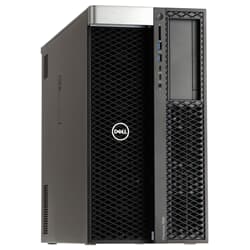
in stock
10
18,169.00 €
Are you looking for used workstations in good condition to equip your workplace? Or has one of your existing devices broken down and you want to replace it cheaply without compromising on quality? In either case, GEKKO is the right place for you! Our workstations from renowned manufacturers with pre-installed Windows 11 are thoroughly tested and refurbished by us to offer you the best possible performance.
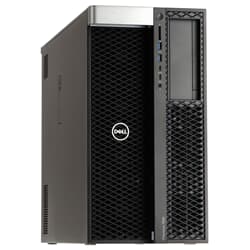
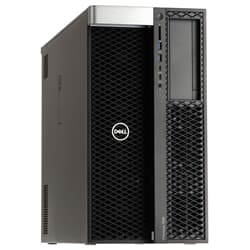
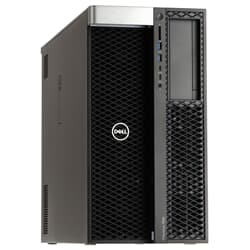
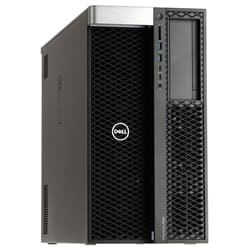
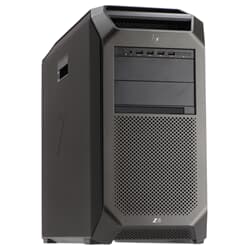
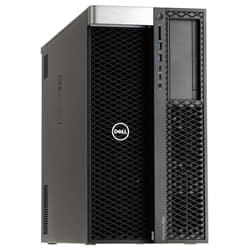
In this category, you will find a large selection of tested, refurbished, and used workstation PCs from Dell, HP, and Lenovo. These systems are designed for professional applications where a normal desktop PC quickly reaches its limits: high CPU load over many hours, large amounts of data in the main memory, GPU-accelerated workflows, multiple fast drives, and a stable platform for productive work. In a professional environment, it's not just the maximum performance in a benchmark that counts, but above all constant performance, reliable cooling, extensibility, and the possibility to adapt the system exactly to your own area of application. This is exactly where classic tower systems play to their strengths – especially if you are looking for a technically powerful workstation computer at an attractive price-performance ratio.
A workstation (whether used or new) is a professional workstation computer designed for compute-intensive applications, continuous load, and extensibility. While consumer PCs are often optimized for gaming or office use, workstations are designed for stability, ease of maintenance, and long-term use. Typical features include:
Workstation platforms with high CPU performance and many PCIe lanes
Support for large RAM capacities (often 32 GB, 64 GB, 128 GB or more – depending on the model)
Optional ECC memory for additional data security in professional workflows
Professional graphics cards or powerful GPUs for CAD, 3D, and video workflows
Multiple M.2 and SATA/SAS storage options, RAID scenarios depending on the platform
Stable power supplies and housing designs for 24/7-like loads
Excellent cooling concepts for constant performance under load
The goal is not just to be fast, but predictably fast – in other words, a system that remains stable even during large projects, long render jobs, or demanding simulation runs.
Used workstations are particularly interesting if you need professional performance but do not want to buy a new device in the four- or five-figure range. For example, those looking for a used CAD workstation will find systems here that were originally developed for exactly these requirements. In practice, these computers are frequently used for:
CAD and construction (2D/3D, large assemblies, complex models)
3D visualization, animation, and rendering (CPU or GPU rendering)
Architecture and BIM workflows (models, visualization, planning data)
Video editing, motion design, and color grading
Software development (build processes, local test environments, containers, virtual machines)
Technical simulations and calculations
Data analysis and workflows with large datasets
Many professional applications benefit not only from high single-core performance but also from multiple CPU cores, plenty of RAM, and fast SSDs. This is exactly where used systems can be particularly efficient: You get a platform that was originally built for companies and professional users and use this performance today at much better conditions.
To ensure that your used workstation really works noticeably faster and more stably in everyday use, a clean prioritization of components is worthwhile. Depending on the workflow, not every configuration makes sense, and often the interaction of CPU, RAM, GPU, and storage determines whether the system runs smoothly in practice.
In many scenarios, the CPU remains the most important component, especially in CAD, many design workflows, and typical office-related professional applications. What matters is not only the number of cores but also the architecture and the clock speed under load. A rough guide:
CAD and design often benefit greatly from high single-core performance
Rendering, simulation, and parallel workloads benefit more from more CPU cores
Development and virtualization benefit from many threads and sufficient cache
Especially with used workstations, the price-performance ratio is often excellent because workstation platforms are frequently equipped with high-quality CPUs and robust motherboards developed for long periods of use.
In many professional applications, RAM is the bottleneck long before the CPU or GPU is fully utilized. When large assemblies, many layers, high-resolution media, or multiple applications run in parallel, additional RAM ensures that the system does not "swap out" to page files and thus becomes noticeably slower. Practical values (as a guide):
16 GB: entry-level, often only sensible for light workflows
32 GB: very solid basis for many CAD and creator workflows
64 GB: sensible for larger projects, multitasking, video editing, virtualization
128 GB+: relevant for very large datasets, many VMs, simulations, rendering pipelines
If you are unsure, RAM is in many cases the component where an upgrade brings the biggest "everyday boost."
In many professional applications, the GPU determines smooth operation in the viewport, fast previews, and GPU-accelerated effects. Anyone looking to buy a powerful used GPU workstation will find tested systems at GEKKO with professional graphics cards for various requirements. While gaming and professional GPUs are often technically close, there are clear reasons for using workstation graphics cards in a professional environment:
Stable drivers for professional applications
Reliable representation in CAD/3D viewports
Optimized performance in specific workflows
Relevant certifications in some environments
VRAM equipment is often more important than pure chip performance because large projects, textures, models, and video data quickly occupy several gigabytes of graphics memory. Too little VRAM then leads to stuttering, long loading times, or swapping to system memory.
In modern workflows, storage is not just disk space, but a real performance building block. Especially when loading large projects, working with media, caching, or exporting, a fast SSD makes a massive difference. Typical sensible division:
System drive (SSD/NVMe) for operating system and programs
Project drive (SSD) for active projects, cache, and temporary data
Additional storage (SSD/HDD) for archives, raw data, or backups
For many professional and used workstations, it is worth using two separate SSDs (system + projects) instead of bundling everything on one drive. If you are also looking for professional storage solutions, you will find suitable systems and hardware in the Storage category.
Workstations are often used in environments where large amounts of data are moved: NAS systems, project servers, team projects, media archives, or virtual infrastructure. Here, a fast network connection can be a real productivity factor. Depending on the platform, expansions like these are interesting:
10GbE network cards for high data transfer rates
Additional PCIe cards for capture, audio, special I/O
USB expansions or additional controllers
If required, you can also find suitable network components and infrastructure in the Network category.
Dell Precision is Dell's professional line, specifically developed for compute-intensive applications in business, engineering, and content creation, and has been among the most widely used professional systems worldwide for years. Anyone looking for a used Dell workstation will find carefully refurbished Precision models with tested hardware here.
Dell Precision workstations are among the established professional systems because they are very versatile and often offer an excellent balance of extensibility, stability, and price. In many Precision towers, RAM, GPU, storage, and expansion cards can be easily adapted – particularly attractive if you want to expand the system further later. Typical models in the range:
Dell Precision 3620 – solid workstation basis for productive applications
Dell Precision 3460 – modern platform for professional workflows
Dell Precision 5820 Tower – popular for rendering, media production, and upgrades
Dell Precision 7820 – powerful platform with plenty of expansion potential
Especially with Dell Precision, the combination of good housing design, high spare part availability, and sensible extensibility is a decisive advantage in professional daily work.
HP Z workstations are standard in many companies and technical offices because they are designed for long-term use. The platforms often offer excellent cooling, stable components, and high everyday utility – especially when used workstations must run reliably under load. Depending on the generation and model, these systems are often of interest:
HP Z2 Mini G4 – compact workstation for the professional workplace
HP Z4 G4 – versatile all-rounder for CAD and content creation
HP Z6 G4 – more reserves for larger projects and more powerful configurations
HP Z8 G4 – high-end workstation class for maximum requirements
HP Z640 – proven platform for professional workflows
HP Z workstations are an excellent choice, especially if you handle large projects or are looking for a system that remains stable even under high load over long periods.
Lenovo ThinkStation workstations are known for their well-thought-out design, ease of maintenance, and stable platforms. Anyone looking to buy a used Lenovo workstation benefits from models designed for focused and reliable work – many ThinkStations are also pleasantly quiet and are therefore very suitable for quiet workplaces. Typical models in the professional environment:
Lenovo ThinkStation P330 – compact workstation for entry-level professional requirements
Lenovo ThinkStation P340 – modern platform for productive work
Lenovo ThinkStation P520 – popular workstation for CAD, 3D, and creator workflows
Lenovo ThinkStation P520c – compact setup with workstation character
Lenovo ThinkStation P720 – strong platform for compute-intensive tasks
Lenovo ThinkStation P920 – high-end configurations for maximum requirements
Lenovo ThinkStations are particularly interesting if you are looking for a balanced mix of performance, stability, and professional extensibility.
A used workstation can be a very efficient decision if you need professional performance but want to use your budget wisely. Anyone looking to buy a refurbished workstation gets a platform that was originally built for corporate use, utilized in well-maintained environments, and technically designed for longevity. This creates a very attractive sweet spot of price, performance, and stability. Typical advantages:
Professional hardware platforms at significantly better conditions than new goods
Stable systems for productive continuous load
Good extensibility and upgradability
More sustainable alternative through extended product life
If you are also looking for other professional IT hardware, it is worth taking a look at the Parts category to add memory, drives, or suitable expansions, for example.
Whether you are looking for a used workstation PC for CAD design, 3D rendering, video editing, or demanding development environments: in our range, you will find suitable systems from Dell, HP, and Lenovo, which can be individually configured depending on the model and availability. If you already have specific requirements (e.g., desired RAM size, specific GPU class, or SSD division), the computer can be put together very specifically – for a system that is not only powerful on paper but actually works faster and more stably in your workflow.
A workstation is designed for professional continuous load, extensibility, and stable performance under demanding applications. Typical features include workstation platforms with high I/O and PCIe capacity, excellent cooling, robust power supplies, extensive expansion options, and often the option for ECC memory. A normal desktop PC is frequently more optimized for office or gaming and can reach its limits faster during long, consistent loads or large projects.
This depends primarily on which applications are in the foreground in the company. For typical SME scenarios, i.e., office-related workflows, smaller CAD projects, local development environments, or video conferences, entry-level to mid-range systems such as the Dell Precision 3620, the HP Z4 G4, or the Lenovo ThinkStation P520 are a solid choice. They offer sufficient computing power for professional daily use, can be upgraded if necessary, and are available as used systems at a fraction of the new price. For more demanding tasks such as rendering, simulation, or larger virtualization environments, more powerful models such as the Dell Precision 5820 or the HP Z6 G4 are recommended.
Workstations are worthwhile wherever projects become large or the load is stable over a longer period: CAD and BIM (i.e., large assemblies and complex models), 3D visualization and rendering, video editing and color grading, as well as simulation and technical calculation. The advantage is usually not just peak performance, but above all constant performance, more reserves in RAM and storage, and the ability to upgrade specifically.
For CAD, it is crucial that the viewport runs smoothly and the system remains stable with large models. For simple 2D workflows, a solid mid-range GPU is often sufficient. For 3D CAD, large assemblies, or BIM projects, more graphics performance and sufficient VRAM are important. Professional workstation GPUs are often the safer choice when stability, driver quality, and reproducible representation are paramount. For many CAD workflows, a strong CPU with a high clock speed also counts, because numerous CAD operations remain heavily CPU-intensive.
The biggest difference usually lies in drivers, stability, and alignment: workstation GPUs are optimized for professional applications, reliable representation, and long-term driver maintenance. In certain professional workflows, this can lead to fewer display errors and more stable performance. Gaming GPUs often offer a lot of raw performance per Euro but are primarily optimized for games. In practice, for professional CAD/DCC workflows, a workstation GPU is often the lower-risk choice; for creator workflows, a strong gaming GPU can also make sense depending on the software if budget or performance is in the foreground.
Yes, very well, if the configuration matches the workflow. For smooth editing, a fast SSD (ideally NVMe), sufficient RAM, and a suitable GPU are important. With DaVinci Resolve, the GPU plays a larger role; with Premiere Pro, it depends heavily on the interaction between CPU, GPU, and fast media drives. Used workstations are particularly attractive because they often provide a robust platform and can be specifically upgraded with more RAM, a stronger GPU, or additional fast storage if needed.
For virtualization, CPU cores or threads, plenty of RAM, and reliable storage are crucial. In practice, 32–64 GB of RAM is often the minimum basis for several productive VMs; depending on the number and load, 128 GB or more is sensible. A CPU with many cores helps to operate several VMs smoothly in parallel. In addition, a fast SSD or NVMe is noticeable for VM images, and a second SSD as a separate data and project drive can stabilize workflows. Workstations are well-suited here because they often support high RAM capacities and offer many expansion options.
Often yes, especially in professional workflows. When starting the system and for simple office tasks, the difference between a SATA SSD and NVMe is sometimes less spectacular. NVMe becomes clearly noticeable with large projects, many small files, cache workflows, 4K/6K/8K media, large databases, or multiple parallel I/O operations, e.g., VM images. In a workstation, NVMe is often the most sensible first step to shorten loading times and project access.
Yes, in many scenarios this works well, for example as a file server in a small team, for development environments, build servers, virtualization in a home lab, or as a local computing station in the office. However, one should weigh it honestly. A classic server often offers features like redundant power supplies, hot-swap concepts, and server remote management that a workstation does not always have in the same form. If these points are not mandatory, a workstation can be a very cost-efficient server solution because it can hold a lot of CPU, RAM, and storage and is built for continuous load.
Yes. Whether it is optimal depends on the graphics card. With a powerful GPU, whether workstation or gaming class, gaming is possible without any problems. Workstation GPUs are not primarily optimized for games, but depending on the model, they still deliver very good performance. If gaming is an equally important goal, it is worth selecting the GPU specifically for that purpose.
Yes, without restriction. A workstation can be used normally for office, browser, communication, and standard software. The difference is rather that you get more performance reserves, better extensibility, and often a more stable platform. This is particularly worthwhile if the PC is to run reliably for several years or if requirements are likely to increase.
Regular support for Windows 10 ends on October 14, 2025. After that, there will be no more free security updates, bug fixes, or technical support. For transition phases, there may be paid or time-limited Extended Security Updates depending on the program and region. For productive workstations, it makes sense to plan early for a supported Windows version or a suitable alternative to avoid security and compliance risks.
This depends heavily on the software. High clock frequency and good single-core performance are often more important in many CAD workflows, modeling, UI-related operations, and applications that do not parallelize perfectly. Many cores or threads bring advantages in rendering, simulation, encoding, large batch processes, virtualization, and all workflows that run well in parallel. A workstation has an advantage here because, depending on the platform, it can sensibly combine high single-core performance with many cores and usually more RAM.